Clients & sales
Every client, every conversation, in one place.
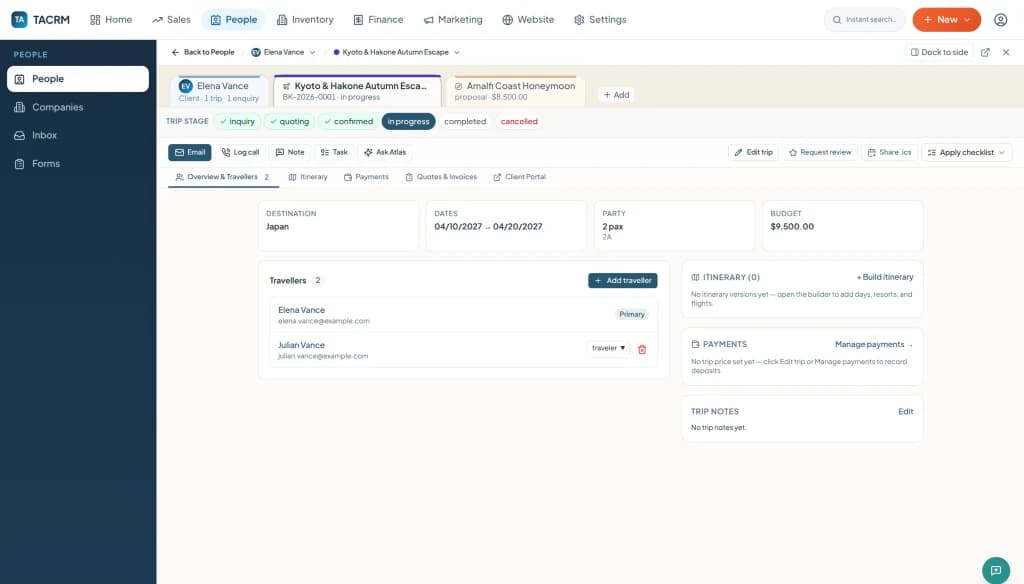
Open a client and see their trips, enquiries, emails, calls, notes and documents together. Full history, no digging, and nothing falls through the cracks.

Full history
every email, call, note and booking on one record
Who is next
see what is waiting on you, the client or a supplier
Instant search
find any client, trip or quote in a moment
Here it is
Sound like your week?
What gets in the way today
Client details live in six places
Emails in an inbox, notes in a notebook, preferences in your head, trips in a spreadsheet. When a client rings, you start hunting.
Follow-ups slip
A quote goes out and then it is forgotten. Nobody is sure whether you are waiting on the client or they are waiting on you.
Covering for a colleague is painful
Whoever picks up the phone starts from nothing, and the client has to repeat everything.
What you can do
What you get
One record for every client
Contact details, travel preferences, passport and visa details, emergency contacts, family and travelling companions, documents and notes.
Full history
Every email, call, meeting and note stays on the client’s record, along with who changed what and when.
A guided path from enquiry to invoice
SalesMove each sale along a simple pipeline, from first enquiry to quote, booking and payment, with the value, the owner and your notes beside it.
See who each trip is waiting on
Mark a trip as waiting on you, the client or a supplier, then start each day with the list that needs you.
Group bookings
Run a wedding, a reunion or a tour group as one booking, with each traveller’s details and payments linked to it.
Tasks for the team
Assign follow-ups and callbacks with due dates, and keep the discussion with the task.
How it works
How it works, in four steps
- Step 01
An enquiry arrives
From your website form, a booked call or an email.
- Step 02
Open the client
See their history, preferences and any other trips.
- Step 03
Reply and plan from one screen
Write the email, add a note, log the call, all beside the trip.
- Step 04
Move it forward
Update the stage and who it is waiting on, then get on with the next one.
Guides in our Help Center
Clients & Sales FAQ
Common questions
Can one contact be both a client and a supplier?
Yes. A contact or company can have more than one role, such as client, supplier or partner.
Can I bring in the contacts I already have?
Yes. Paste in names and email addresses to add them in one go. Existing email addresses are matched so you do not end up with duplicates.
Can I save a list of clients to come back to?
Yes. Save views based on tags, status, VIP clients or the advisor looking after them.
Try it with your own clients
Start free with a sample trip, or book a demo and we will show you around.