Your AI assistant
Meet Atlas, your AI assistant.
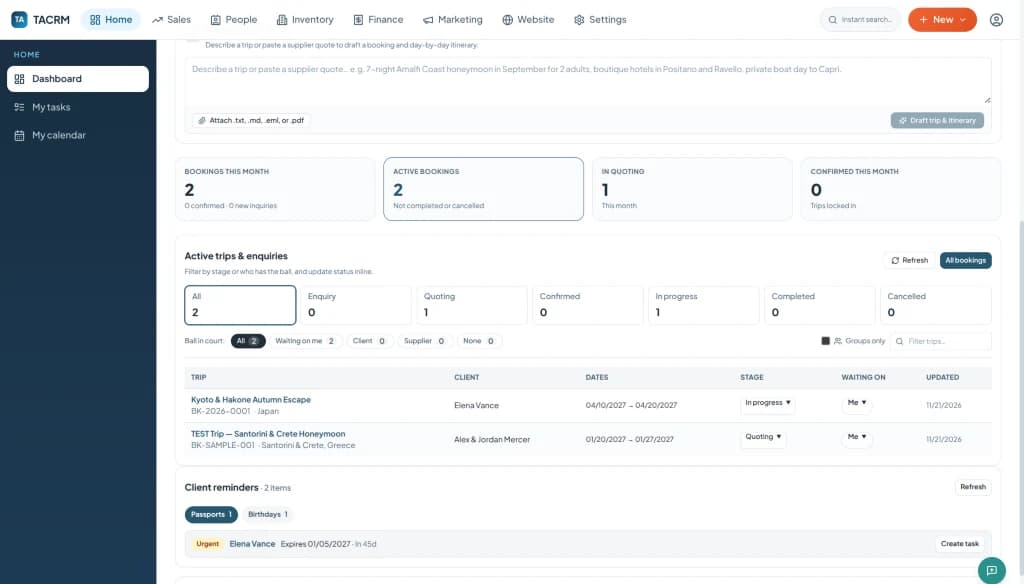
Paste in a client’s email or a supplier’s quote and Atlas drafts the trip for you. It helps with emails and articles too. You read it, you change it, you decide.

Minutes
from a client’s email to a draft trip
You decide
nothing is saved or sent until you approve it
Always to hand
beside the client you are working on
Here it is
Sound like your week?
What gets in the way today
Retyping supplier quotes
Copying hotel names, dates and room types from a long email into a system takes up time you could spend selling.
Slow replies lose bookings
A client who contacts three agencies often books with the first one that sends something good.
Writing takes time you do not have
Resort descriptions, destination articles and social posts all matter, and they always get pushed back.
What you can do
What you get
Draft a trip from an email
Atlas picks out the travellers, dates and destination and builds a day-by-day draft you can edit.
Emails and summaries
Draft a reply from your travel templates, tidy up your wording, or boil a long thread down to what matters.
Resort and destination descriptions
Get a first draft of a description, plus titles and descriptions for search engines.
Articles and social captions
Draft blog articles and posts in your agency’s own voice, then edit and publish.
Right beside the work
Ask Atlas from a client’s record, so it has the context and you do not have to copy anything across.
How it works
How it works, in four steps
- Step 01
Paste it in
A client’s email, your notes from a call, or a supplier quote.
- Step 02
Check the draft
See the travellers, dates and itinerary side by side.
- Step 03
Make it yours
Swap in your favourite hotel or add the personal touch only you know.
- Step 04
Send the quote
Turn the draft into a quote and share it with your client.
Guides in our Help Center
Goes well with
Meet Atlas FAQ
Common questions
Will Atlas send anything to my clients by itself?
Never. Atlas only drafts. Nothing is saved or sent to a client until you have read it and approved it.
Do I have to use Atlas?
No. Everything works without it. Atlas is there when you want a head start.
Is Atlas included in every plan?
Each plan on our pricing page lists what it includes, so you can see where Atlas is available.
Try it with your own clients
Start free with a sample trip, or book a demo and we will show you around.